LinkedIn Email Pattern Finder iconWriting & Research

LinkedIn Email Pattern Finder

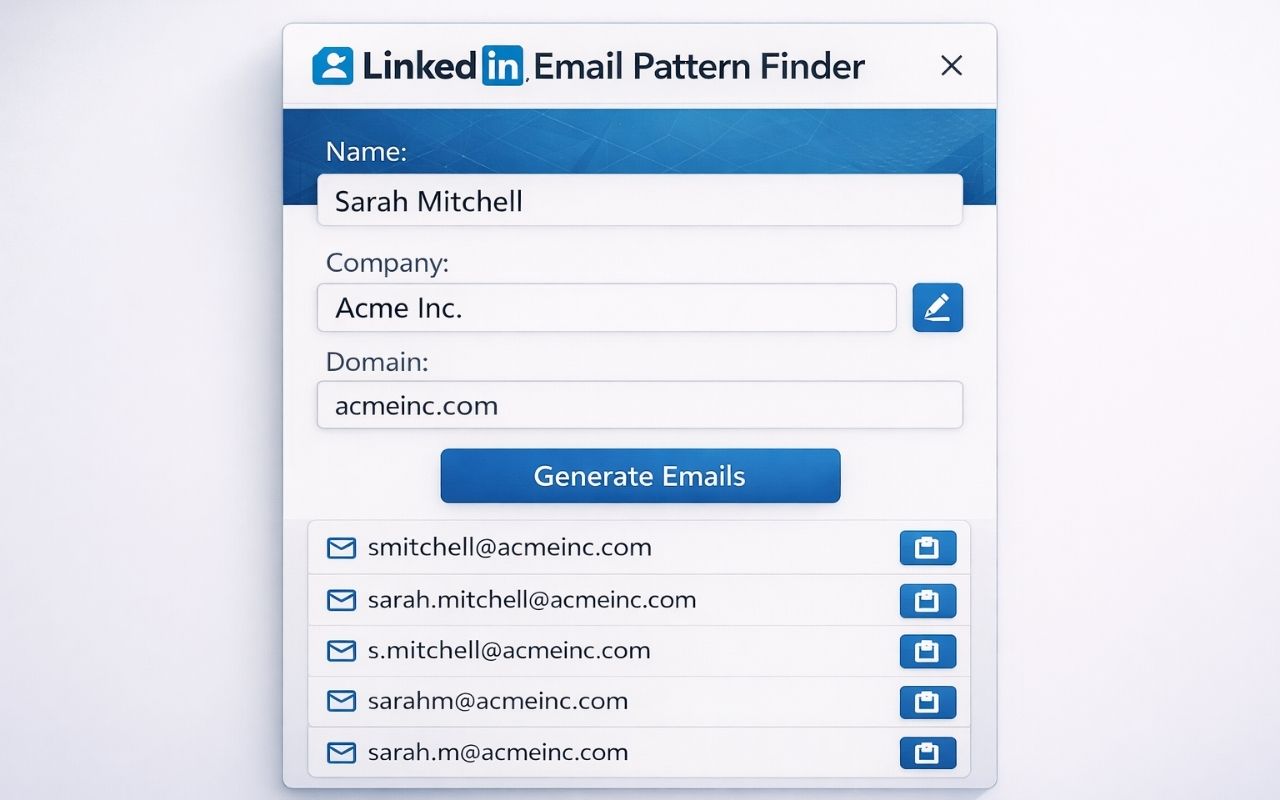
Generate likely business email patterns from visible LinkedIn profile details and a company domain you enter.

LinkedIn Email Pattern Finder screenshot

What it does

1

Profile-based patterns

Uses visible LinkedIn profile details and a company domain you provide.

2

Manual domain input

You stay in control of the company domain used for generated patterns.

3

Local convenience

Lightweight preferences can be stored locally to speed up repeat workflows.

How to use

  1. Open a supported LinkedIn profile page.
  2. Enter the company domain manually.
  3. Review and copy likely email patterns.

Permissions

activeTab

Works on the active LinkedIn profile page when the user opens the extension.

storage

Stores lightweight preferences such as previously entered company domains locally in Chrome storage.

host: https://www.linkedin.com/*

Allows the content script only on supported LinkedIn profile pages such as linkedin.com/in/*.

More extensions

Page to Markdown for AI screenshotNew
Page to Markdown for AI icon

Page to Markdown for AI

Copy any web page as clean Markdown for AI assistants and notes.

Coming soonDetails
Copy Title and URL screenshot
Copy Title and URL icon

Copy Title and URL

Copy the current page title and URL in plain text, Markdown or HTML formats with one quick browser action.


Google Docs Word Counter Plus screenshot
Google Docs Word Counter Plus icon

Google Docs Word Counter Plus

See word count, reading time, paragraph stats and writing metrics while working inside Google Docs.

Questions or bug reports? Contact us.